Last year, Nathan Hillyer's iOS platform engineering team at ForeFlight had self-hosted Mac hardware in their office, two engineers keeping them alive, and a codebase with over 2 million lines of Objective-C, Swift, and C++. Every Xcode update was a fire drill. Every capacity spike during a merge meant somebody was physically racking hardware in the Austin office.
ForeFlight didn't want a new CI system. They wanted to stop being a data centre. What happened next is the story Bitrise and ForeFlight told in a recent webinar, and it's worth unpacking for any team whose DevOps engineers spend more time on infrastructure than on developers.
Three problems that compound
If you manage mobile CI, you already know the pattern. Constant Xcode and Android tool updates break your build environment. Compiling mobile apps, fetching dependencies, and running simulator-based tests eat clock time. And provisioning, upgrading, and scaling Mac infrastructure is its own full-time job.
These aren't independent problems. A team that's underwater managing infrastructure doesn't have bandwidth to optimise build times. A team waiting 45 minutes for CI feedback loses focus to context switching. And a team that can't scale runners during peak hours creates merge queues that slow everyone down.
What Build Hub actually is
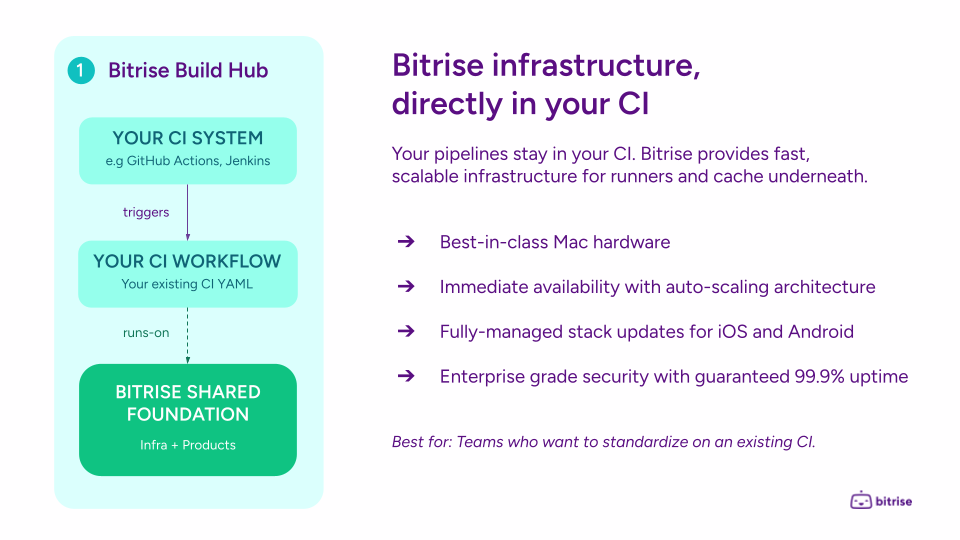
Build Hub isn't a new CI system. It's a layer underneath your existing one.
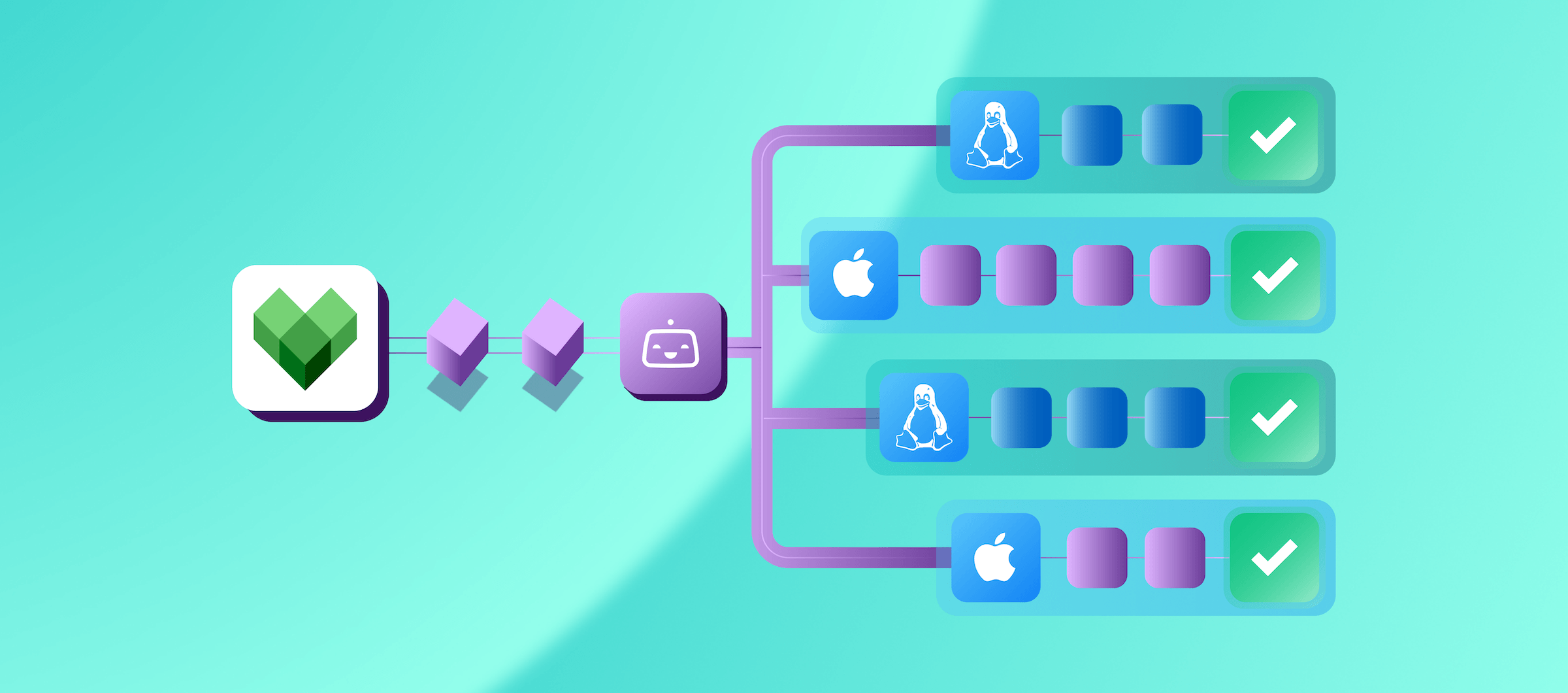
Your CI system (GitHub Actions today, with Jenkins, CircleCI, and Buildkite coming) stays exactly where it is. Your workflow YAML stays the same. The only thing that changes is the runs-on field. You point it at a Bitrise runner group instead of a GitHub-hosted runner or your self-managed Mac in the closet.
Underneath, your builds execute on Bitrise's shared foundation: managed macOS and Linux machines, fully maintained build environments for iOS and Android, co-located build cache for Xcode/Gradle/Bazel, release management, and analytics. Three data centres (two US, one EU), all operated by Bitrise.
The hardware underneath
The headline machine is the Apple M4 Pro Mac Mini: 14 CPU cores (10 performance), 54 GB unified memory, 10 Gigabit Ethernet, 4 TB NVMe SSD. Bitrise packs 32 of these into a custom 6U rack chassis called the "Mini Orchard," with dual-plenum cooling engineered for zero CPU throttling under sustained CI load.
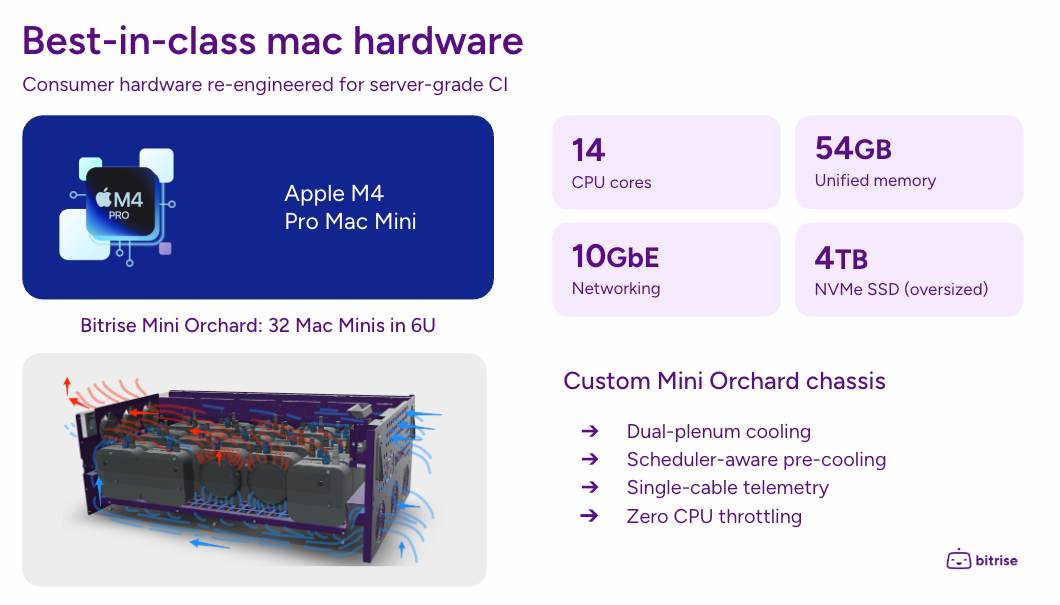
For context, GitHub's strongest hosted macOS runner is an M2 Pro with 5 vCPUs and 14 GB of RAM. That's a significant gap, not just in raw compute, but in memory. As ForeFlight's Nathan Hillyer explained during the webinar, memory constraints at scale cause crashes and unpredictable failures that are nearly impossible to debug. The 54 GB of unified memory isn't a spec sheet flex. For large codebases, it's the difference between reliable CI and random failures.
Auto-scaling that works for Macs
Scaling Mac infrastructure has always been painful. AWS EC2 Mac instances require a 24-hour minimum host commitment. GitHub caps concurrent macOS jobs at 5 (50 on Enterprise) with no burst option. Build Hub takes a different approach.
You set the number of vCPUs you need. Bitrise's scaling engine handles everything else, pre-booting VMs so they're warm when jobs arrive, scaling up and down automatically, and running ephemeral VMs that are destroyed after each build and recreated fresh for the next. Burst capacity for handling peak demand is coming soon (Q2, 2026), giving you the ability to optimize resource allocation and save costs.
During the live demo, Naveen Nazimudeen showed scaling from 1 machine to 20 M4 Pro nodes in seconds, all warming up immediately and registering as available GitHub runners. Because Bitrise operates its own vertically integrated stack across three data centres, this kind of elastic scaling is something they can deliver without the constraints that come with cloud provider Mac instances.
Managed build environments
When Apple releases a new Xcode version, it's available on Bitrise stacks within 24 hours, including betas. The stacks come pre-installed with Xcode, iOS simulators, Android emulators, fastlane, SwiftLint, CocoaPods, Carthage, and other common mobile tooling.
You can review exactly what's installed on each stack at bitrise.io/stacks, and warm-up scripts let you install any additional organisation-specific tooling that runs when a VM boots, before your build starts.
For teams that have spent a day (or more) getting images updated after an Xcode release, this alone can give back meaningful engineering hours.
Enterprise security and guaranteed uptime
Build Hub offers three tiers: multi-tenant cloud (shared infrastructure, the default), dedicated runners (exclusive hardware with dedicated IP ranges), and private runners (isolated VPC with private firewall — designed for regulated industries).
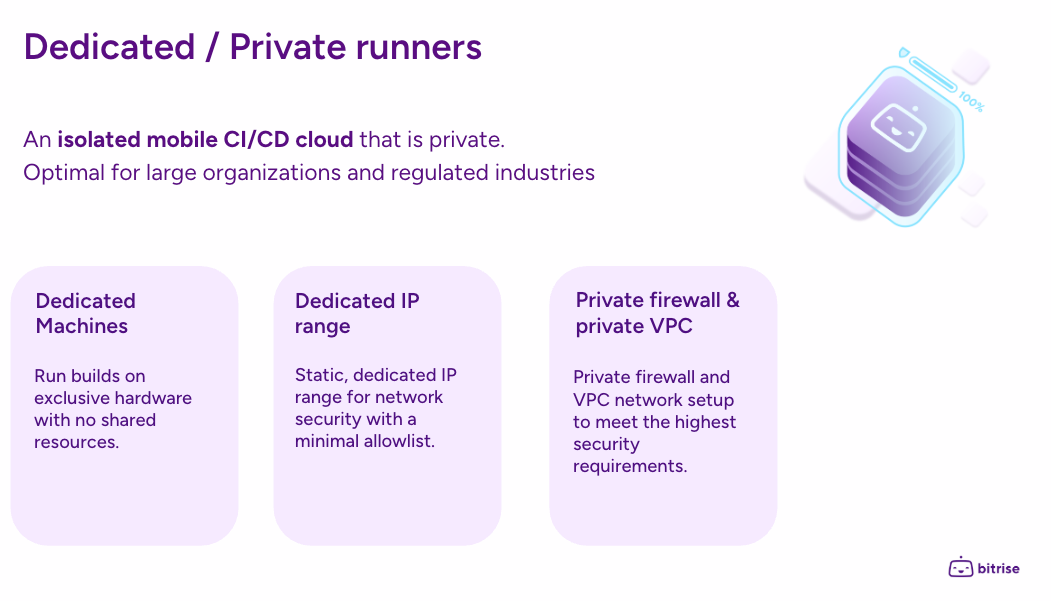
Bitrise guarantees 99.9% uptime across all tiers, with historical status visible at status.bitrise.io. The ephemeral VM model also provides a security benefit, each build runs on a fresh virtual machine that's destroyed afterward, eliminating the risk of sensitive data persisting between builds.
ForeFlight's story: from infrastructure operators to platform engineers
ForeFlight is one of the original App Store apps. They build aviation software, so reliability isn't optional. CI runs on every commit of every pull request, and every merge to main produces artefacts that go all the way to Apple's pipeline.
Like many teams, ForeFlight built it themselves. Self-hosted GitHub runners on physical Mac hardware in their Austin office. A DevOps team of two owned everything: OS updates, Xcode version management, networking, hardware provisioning, and every failure that came with it. Nathan described a moment of realisation: they weren't platform engineers building features for developers anymore. They were infrastructure maintainers.
A company merger increased build volume dramatically. There was a finite amount of office space, and at a certain point, as Nathan put it, you're essentially asking your company to become a data centre.
The GitHub runners experiment that failed
This was the most telling anecdote. ForeFlight tried a hybrid model: Bitrise for heavy workloads, GitHub-hosted runners for lighter jobs. In small-scale prototyping, it worked well. At production volume, with the commit frequency of a 2M+ line codebase, they immediately started seeing random networking failures, memory-related crashes, and inconsistent performance on the GitHub-hosted side.
They shut the experiment down after one week. The team had gotten used to the reliability and performance of Bitrise's larger runners with 54 GB of RAM, and going back felt like wearing shoes that were two sizes too small.
What changed
With infrastructure offloaded, ForeFlight's DevOps team stopped spending time on OS patching, Xcode image management, and hardware lifecycle concerns. They started focusing on workflows, developer productivity, patterns, and system design.
Ephemeral runners also let them democratise CI. Previously, with static runners, there was always a risk that a poorly written job could corrupt a shared runner's state. With ephemeral VMs destroyed after each build, developers could write and iterate on their own workflows without the DevOps team needing to oversee everything.
Nathan's strategic takeaway: ForeFlight evaluated AWS, MacStadium, DIY infrastructure, and other CI providers. Build Hub consistently delivered a stronger mobile-focused feature set, better reliability, and competitive pricing.
The benchmarks
Balázs Ilsinszki shared performance numbers using open-source repositories, so you can reproduce these results yourself.
macOS (iOS builds)
Using the open-source XcodeBenchmark repository compiled with Xcode 26.3:
The speed difference is only part of the story. With 54 GB of memory vs. 14 GB, the M4 Pro doesn't just run faster. It runs more reliably. For large codebases, memory constraints on smaller runners cause the kind of intermittent crashes that waste hours of debugging time.
Both benchmarks use open-source repos you can fork and run yourself.
Linux (Android builds)
Using the open-source Thunderbird Android repository with a Gradle assemble command (no caching, rerun all tasks):
We'll be honest: the 14-core machine outperforming the 16-core one surprised us too. But Gradle's internal dependency structure means more cores don't always translate to faster builds. That's the reason Bitrise offers granular Linux sizing (2 up to 192 vCPU), so you can find the sweet spot for your project rather than paying for cores you can't use.
Build caching: where the bigger savings come from
Beyond raw hardware speed, Bitrise's build cache, co-located in the same data centres as the runners, can deliver even larger improvements.
There are two types of caching. Key-value caching stores your dependencies (CocoaPods, SPM packages, Gradle dependencies) so you don't re-download them every build. Most teams already do some version of this. Build caching stores intermediate compilation outputs. If a pull request only changes one or two files in a single module, only that module gets recompiled while the rest comes from cache.
In the live demo, a first build (warming the cache) took 4 minutes 44 seconds. The second build with a warm cache hit 100% and saved roughly 1.5 minutes. For larger codebases, Bitrise reports savings of 20–30% from build caching alone, with additional savings of around 20% from machine upgrades (e.g., M2 to M4 Pro). Combined with test parallelisation via matrix jobs, where pre-warmed runners pick up shards immediately, the cumulative impact can turn a 45-minute pipeline into a sub-10-minute one. The webinar example showed 5-way test sharding reducing a 30-minute test suite to about 8 minutes.
We think the industry got Mac CI wrong by treating it as a cloud abstraction problem. It's a hardware problem. That's why Bitrise built its own rack chassis instead of renting EC2 Mac instances, and why the build cache sits in the same data centre as the runners rather than in a separate region. When you control the full stack, you can optimise for the workload instead of working around someone else's constraints.
The Build Cache docs cover Xcode, Gradle, and Bazel setup in detail.
Getting started
Bitrise is launching a self-serve trial with a two-week free experience including M4 Pro Mac and Linux concurrency. Setup takes under five minutes: create a pool in the Build Hub interface, connect your GitHub organisation, select a stack and machine type, and update the runs-on field in your workflow YAML.
The ForeFlight story makes the case clearly: the real cost of managing your own mobile CI infrastructure isn't the hardware. It's the opportunity cost of what your team isn't building while they're keeping the lights on. Teams in the beta got this running in under five minutes. Here's the quickstart if you want to try it.
Bitrise Build Hub is available now for GitHub Actions. You can watch the Build Hub webinar with ForeFlight on-demand here.
Get started for free
Get a 30-day free trial and join the 400,000+ mobile developers who already love Bitrise.
Start free trial